Skip to content

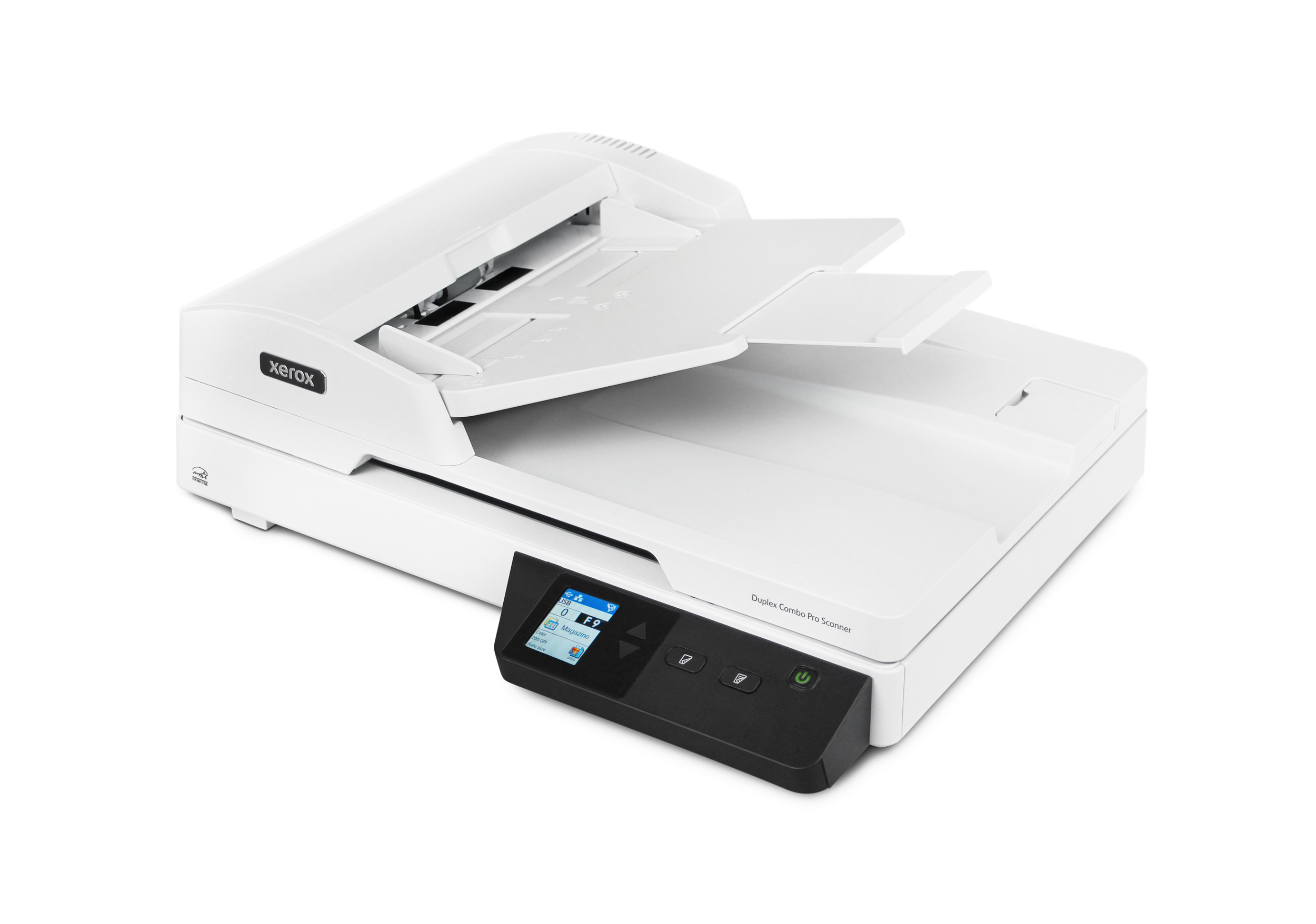
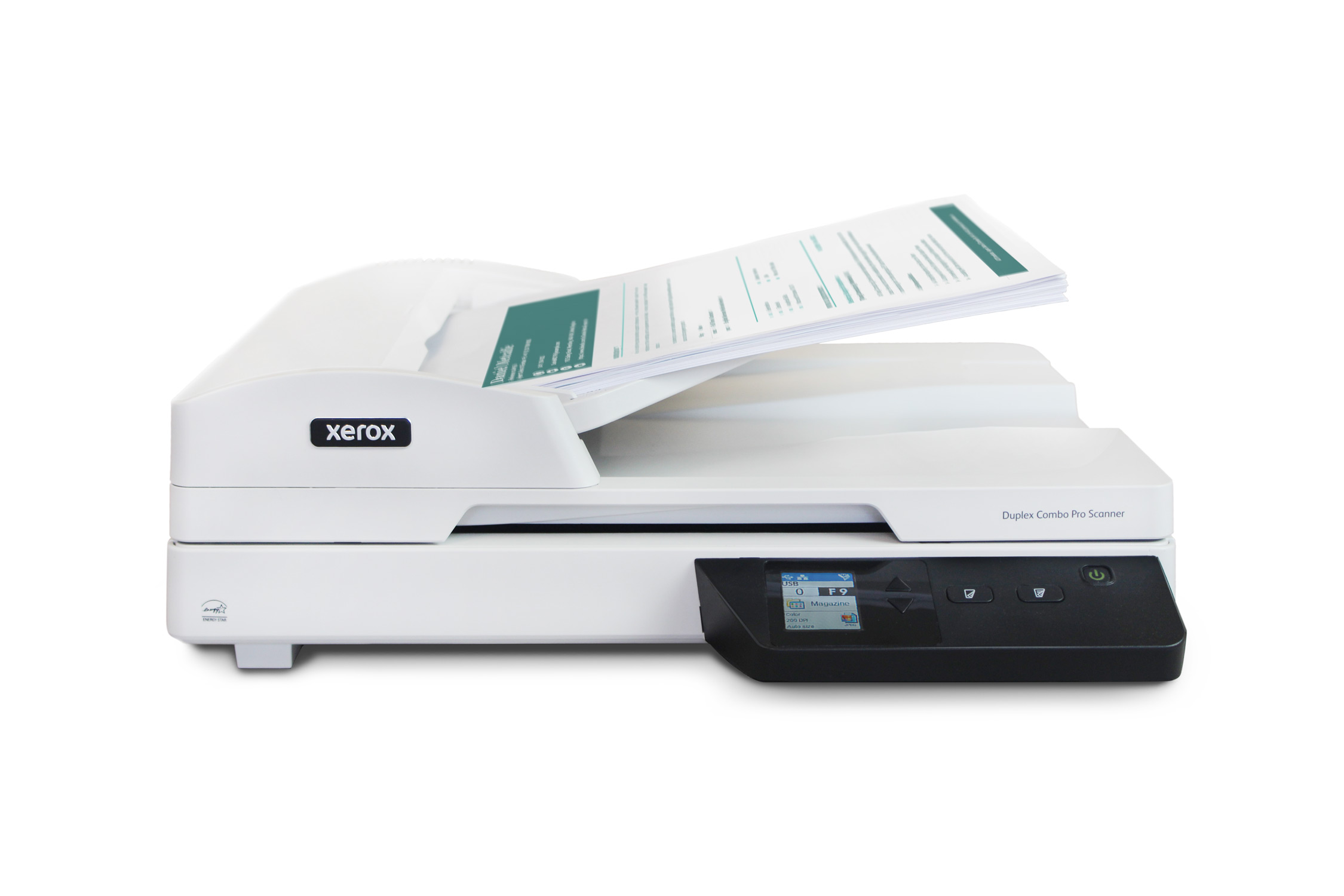
Xerox Duplex Combo Pro Scanner

Sale!
  • ADF scan speeds of up to 40 ppm / 80 ipm
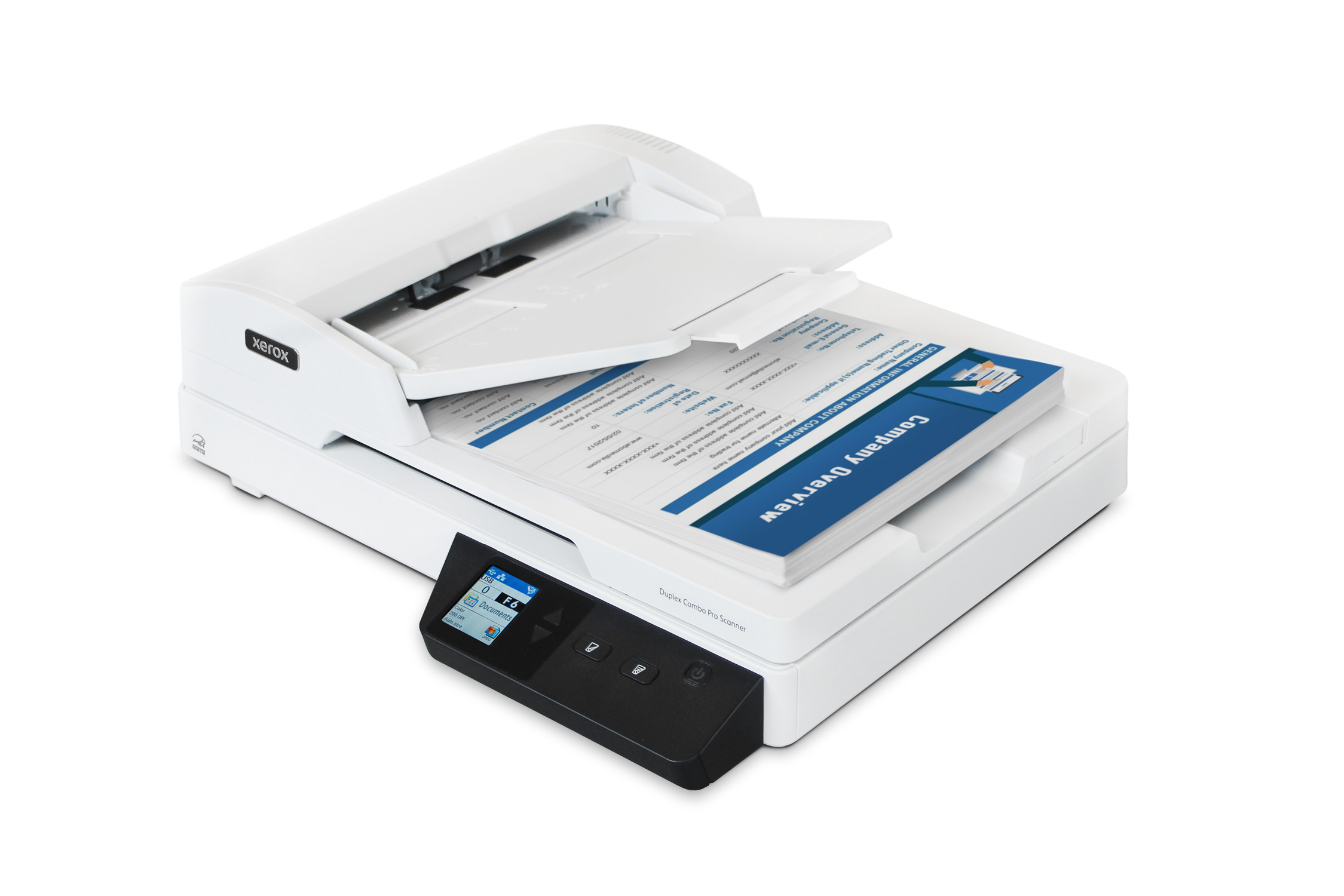
  • 90-sheet ADF
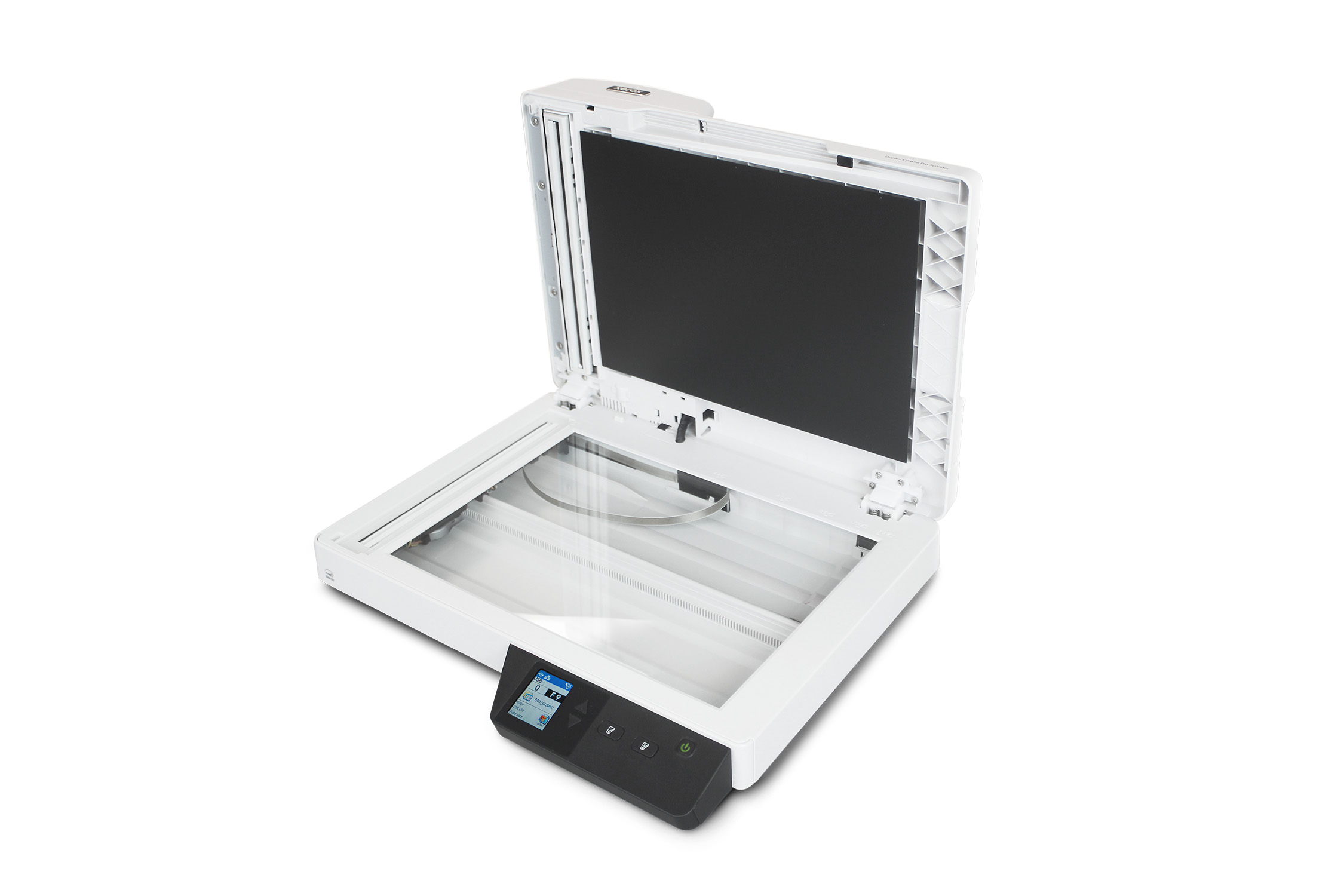
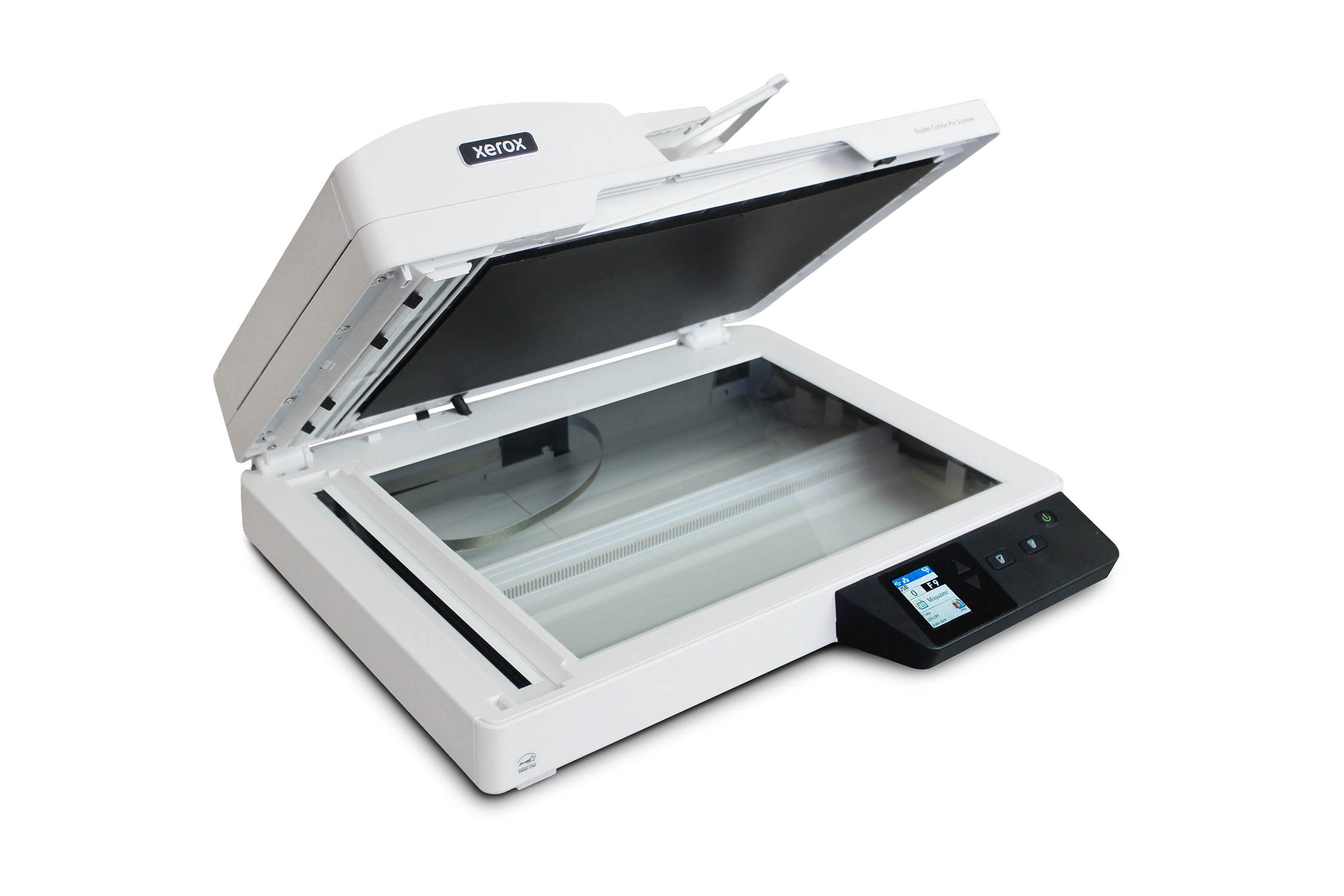
  • Flatbed scanner for ID cards, passports, thick & irregular-sized items
  • Nine scanning presets on control panel or desktop with Visioneer® OneTouch
  • USB, Wi-Fi and Ethernet connectivity

Original price was: $499.00.Current price is: $379.99.

Specifications

Shop Our Store

1-800-648-0410
Monday - Friday (except holidays)
6:00 a.m. - 4:00 p.m. Pacific Time (GMT -08:00)

Contact Us
Where to Buy
Xerox Duplex Combo Pro Scanner
Model
XD-ComboPro-U
System Requirements
  • Intel i3 or equivalent CPU
  • Internet access (for installation)
  • Available USB 3.1 Port (USB 2.0 and 3.0-compatible)
  • Microsoft® Windows® 7 (Service Pack 1), 10, 11 32-bit or 64-bit operating system or later
  • MacOS 11 operating system or later
  • Minimum of 4 GB internal memory (RAM)
  • Minimum available hard disk space: 350 MB for the scanner driver 1 GB for Visioneer OneTouch 1 to 3 GB for each additional application
Specifications
  • Model number:XD-ComboPro-U
  • Part number:100N04355
  • Scan method:Automatic Document Feeder (ADF) and flatbed
  • Image Sensor:CIS (Contact Image Sensor)
  • Light Source:RGB LED
  • Display:1.8” (45 mm) LCD Screen
  • Optical Resolution:600 dpi (ADF), 1,200 dpi (flatbed)
  • Output Resolution:1,200 dpi
  • Output Bit Depth:24-bit color, 8-bit grayscale, 1-bit B&W
  • Connectivity:USB 3.2, Gigabit Ethernet, Wi-Fi
  • Supported Operating Systems:Windows® 11, 10, 7; MacOS 11-26
  • Supported Drivers:TWAIN, WIA, ICA, SANE
  • Supported File Formats:BMP, PNG, GIF, JPEG, Single-Page PDF, Multi-Page PDF, Multi-page TIFF, TIFF, RTF, TXT, XPS, DOC, XLS, PPT, DOCX, XLSX, PPTX, HTML
  • Maximum Daily Duty Cycle:6,000 pagesScanner Dimensions
  • Trays collapsed:(W x D x H) 15.8" x 13" x 5" (402 x 330 x 127 mm)
  • Trays expanded:(W x D x H) 15.8” x 13” x 5.5” (402 x 330 x 139 mm)
  • Weight:5.94 lb. (2.7 kg)Automatic Document Feeder (ADF)
  • Scan speed:40 ppm / 80 ipm @ 300 dpi
  • ADF Capacity:90 sheets (20 lb., 75-80 g/m2 paper)
  • Automatic duplex:Yes
  • Scanning Media Supported:Paper
  • Supported ADF paper thickness:16 to 28 lbs. (60 ~ 105 g/m2)
  • ADF Maximum Document size:8.5" x 240" (216 x 6,096 mm)
  • ADF Minimum Document size:3” x 5.9” (76 x 150 mm)Flatbed
  • Scanning Media Supported:Plastic ID cards, photos, paper
  • Flatbed Maximum Document size:8.5” x 11.7” (216 x 297 mm)
  • Flatbed Minimum Document size:0.5” x 0.5” (13 x 13 mm)
  • Flatbed Maximum Item Thickness:0.39” (10 mm)Bundled software
  • Software for Windows:Visioneer® OneTouch, Visioneer® Capture SE, Visioneer® Organizer AI, Visioneer® Acuity, ABBYY® FineReader® PDF Pro, ABBYY® Business Card Reader
  • Software for Mac®: Visioneer® Scan Utility, ABBYY® FineReader® PDF
  • Software for Android™ and iOS: Visioneer ®Mobile Capture (Android & iOS/ iPadOS)
Detailed specifications
What's in the box
  • Xerox® Duplex Combo Pro Scanner
  • power supply and adapter
  • USB cable
  • Network cable
  • Quick Install guide
  • Warranty and Registration cards

Product Description

Choosing the right scanner shouldn’t mean settling for slow performance, confusing controls, or a device that only works well in one type of setting. The Xerox® Duplex Combo Pro Scanner was designed to tackle all three problems at once by delivering class-leading speed, effortless operation, and the flexibility to handle a wide variety of document types, whether you’re working from a home office or running a business.


Built for Speed

In a world where time is the most valuable resource in any home or office, waiting on a slow scanner simply isn’t an option. As the fastest scanner available at its price point, the Xerox® Duplex Combo Pro outpaces competitors that cost significantly more, tearing through stacks of invoices, contracts, and photos in a fraction of the time you’d expect. Whether you’re digitizing years of accumulated paperwork, prepping documents for a tight deadline, or simply need a quick scan before a meeting starts, the Xerox® Duplex Combo Pro Scanner keeps pace with your day.

Effortless Control, Flexible Connections

Speed means nothing if the technology behind it is frustrating to use. A built-in LCD screen puts functions directly at your fingertips, letting you manage customizable, one-press shortcuts for scanning straight to email, a specific folder, a cloud destination, or an application with a single tap. Connectivity is equally thoughtful: with both Wi-Fi and an Ethernet port built directly into the unit, you’re never locked into a single way of working. Go wireless for the everyday convenience of scanning straight from your mobile devices, or plug into a wired Ethernet connection when you need the stability and security of network connectivity.

One Scanner, Every Environment

The combination of an automatic document feeder and a flatbed glass surface means the Xerox® Duplex Combo Pro Scanner is ready for virtually anything you put in front of it. Multi-page reports and long contracts breeze through the ADF, while delicate photographs, bound books, and ID cards get the careful, precise treatment of the flatbed. That same adaptability, paired with a space-saving design, makes it equally at home in a small office corner or at the center of a business’s document workflow.

Smart Software Built Right In

The Xerox® Duplex Combo Pro Scanner is powered by the Visioneer® Intelligent Software Platform, a suite of tools designed to transform scanned pages into organized, ready-to-use data. Visioneer® OneTouch enables one-press routing, Visioneer® Acuity automatically enhances image quality, and Visioneer® Organizer AI intelligently sorts and categorizes files so documents are saved exactly where they should be. The platform also includes Visioneer® Capture SE, a batch scanning and data extraction solution that now supports MRZ recognition to automatically detect and extract data from passports, IDs, and similar documents

Warranties

Xerox Duplex Combo Pro Scanner Warranty Information

Part # Description SKU Price
Part #: 94-0345-000 Xerox Duplex Combo Pro 1-Yr Advance Exchange SKU: S-XDCpro-ADV/1Y $64.00 Add to Cart
Part #: 94-0346-000 Xerox Duplex Combo Pro 2-Yr Advance Exchange SKU: S-XDCpro-ADV/2Y $94.00 Add to Cart
Part #: 94-0347-000 Xerox Duplex Combo Pro 3-Yr Advance Exchange SKU: S-XDCpro-ADV/3Y $154.00 Add to Cart
Part #: 94-0348-000 Xerox Duplex Combo Pro 4-Yr Advance Exchange SKU: S-XDCpro-ADV/4Y $194.00 Add to Cart
Part #: 94-0349-000 Xerox Duplex Combo Pro 5-Yr Advance Exchange SKU: S-XDCpro-ADV/5Y $244.00 Add to Cart
Part #: 94-0350-000 Xerox Duplex Combo Pro Renewal 1-Yr Advance Exchange SKU: S-XDCpro-ADV/RENU $94.00 Add to Cart

Parts & Accessories

Drivers & Manuals

Xerox Duplex Combo Pro 1-Yr Advance Exchange

Xerox Duplex Combo Pro 1-Yr Advance Exchange
Register Your Product >

Note: You must uninstall your current driver and OneTouch software to install an updated driver.

If your computer blocks the download for security reasons, you need to click the top bar for options, then try the download again.

Operating Systems Compatibility: As listed in section “Minimum System Requirements”. This scanner is not compatible with Windows Me or Windows 98. Support for Windows 2000 has ended with OneTouch version 4.5

Related Links

Visioneer Update

Auto Check for Available Drivers & Software
Visioneer Update will automatically detect your scanner and check for the latest drivers and bundled software. You may choose to use Update or you may download only the driver and software you need from the links below. Be advised that many of the bundled software packages can only be downloaded through Visioneer Update or the installation DVD. For technical support, please contact us.

Driver for Windows 11, 10, 8, 7. Includes DriverPLUS and Acuity Technology.

Certified TWAIN and WIA drivers

This download includes Windows device driver(s) required to operate your scanner, all applicable TWAIN and WIA drivers, and Acuity (Automatic Intelligent Image Correction Software). See product specifications for supported drivers.

Multilingual

XDCPS_COMBO6.0 B

OneTouch 4 Software for Microsoft Windows 11, 10, 8, 7

OneTouch 4.x software for OneTouch and button scanning

Visioneer OneTouch is a utility that connects scanner buttons with pre-selected destinations (and/or applications) and allows you to scan into these destinations by simply pressing one button. Destinations can include your email, Word processor, printer or simply a file folder.

Multilingual

OT4.4.6.XX585.5 MB

Xerox DocuShare 7.x link for Visioneer OneTouch 4.x software

"This link allows documents to be sent directly from Visioneer OneTouch to Xerox DocuShare 7.x software. NOTE: Prior to installing the link, please download and install the latest version of Xerox DocuShare Drive at Xerox DocuShare Downloads."

Multilingual

OT4DS.4.6.323.2228.XX1.7 MB

Xerox DocuShare Flex link for Visioneer OneTouch 4.x software

This link allows documents to be sent directly from Visioneer OneTouch to Xerox DocuShare Flex software.

Multilingual

OT4DSF.4.6.324.1160.XX1.7 MB

Visioneer VAST Network© utilities for network sharing.

Visioneer Mobile Capture for Android 8 and up

Scan directly to your mobile device from any network enabled scanner
Download from the Google Play Store

Visioneer Mobile Capture for iOS 12.4 and up

Scan directly to your mobile device from any network enabled scanner
Download from the App Store

Software & Drivers for macOS 11-26

TWAIN and ICA driver

Multilingual

XDCPS_MAC6.0 B

Scan Utility

Multilingual

ScanUtility_3.0.0.6.XX1.1 MB

Manuals and Documentation

Windows – Installation and User Guides

Includes troubleshooting and reinstallation procedures.

Chinese

XDCPS_Guide.OT4.CN4.3 MB

English

XDCPS_Guide.OT4.EN4.7 MB

Spanish

XDCPS_Guide.OT4.ES3.2 MB

French

XDCPS_Guide.OT4.FR3.3 MB

Portuguese

XDCPS_Guide.OT4.PT4.2 MB

Windows – OneTouch Guides

Includes details on OneTouch software.

Chinese (Simplified)

OneTouchGuide.CN2.4 MB

German

OneTouchGuide.DE2.6 MB

English

OneTouchGuide.EN2.4 MB

Spanish

OneTouchGuide.ES2.7 MB

French

OneTouchGuide.FR2.4 MB

Italian

OneTouchGuide.IT2.9 MB

Korean

OneTouchGuide.KO2.4 MB

Portuguese

OneTouchGuide.PT2.5 MB

Russian

OneTouchGuide.RU3.1 MB

Turkish

OneTouchGuide.TR2.3 MB

Chinese (Traditional)

OneTouchGuide.TW2.7 MB

Windows – TWAIN User Guides

Describes scanning from TWAIN and WIA.

Chinese

XDCPS_TWAINGuide.CN5.5 MB

English

XDCPS_TWAINGuide.EN4.0 MB

Spanish

XDCPS_TWAINGuide.ES2.7 MB

French

XDCPS_TWAINGuide.FR2.9 MB

Portuguese

XDCPS_TWAINGuide.PT2.8 MB

Mac – Installation and User Guides

Includes troubleshooting and reinstallation procedures.

Chinese

XDCPS_MAC_Guide.OT4.CS4.3 MB

English

XDCPS_MAC_Guide.OT4.EN4.7 MB

Spanish

XDCPS_MAC_Guide.OT4.ES3.2 MB

French

XDCPS_MAC_Guide.OT4.FR3.3 MB

Portuguese

XDCPS_MAC_Guide.OT4.PT4.2 MB

Mac – TWAIN User Guides

Describes scanning from TWAIN.

Chinese (Simplified)

Xerox MAC TWAINGuide.CN1.7 MB

German

Xerox MAC TWAINGuide.DE1.5 MB

English

Xerox MAC TWAINGuide.EN1.5 MB

Spanish

Xerox MAC TWAINGuide.ES1.6 MB

French

Xerox MAC TWAINGuide.FR1.5 MB

Italian

Xerox MAC TWAINGuide.IT1.5 MB

Korean

Xerox MAC TWAINGuide.KO1.6 MB

Portuguese

Xerox MAC TWAINGuide.PT1.5 MB

Russian

Xerox MAC TWAINGuide.RU1.6 MB

Turkish

Xerox MAC TWAINGuide.TR1.5 MB

Chinese (Traditional)

Xerox MAC TWAINGuide.TW1.7 MB

Android – Visioneer Mobile Capture User Guides

Describes scanning via network.

English

VMC_Guide.EN4.8 MB

iOS – Visioneer Mobile Capture User Guides

Describes scanning via network.

English

VMC_Guide_IOS.EN5.9 MB
Close Select Your Region